The weather for this weekend is forecast to be pretty lousy, so I’ve resigned myself to the fact that we won’t be flying today or tomorrow.
Luckily, my flight school is one of the only places around that has a Redbird FMX full-motion flight simulator. This is essentially a mock cockpit with all the switches and equipment you’d find on the real plane with Flight Simulator X providing the visuals.
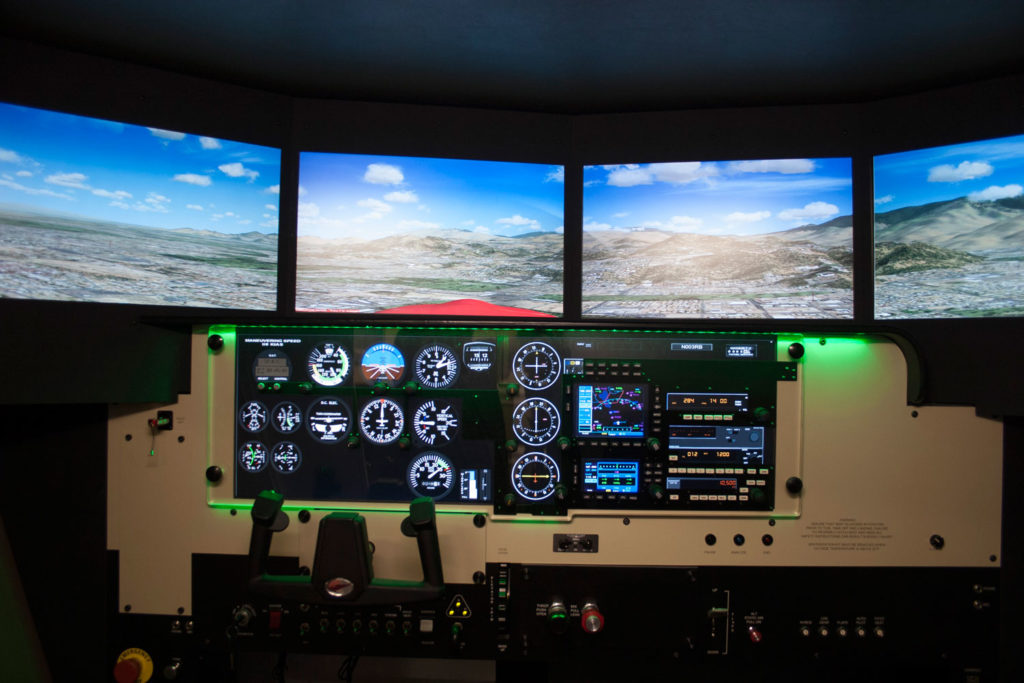
During PPL training, you can log up to 2.5 hours of simulator time with a CFI towards your requirements. The simulator isn’t very useful for learning flight mechanics (even with full motion, it feels nothing like actually flying), but it is an amazing tool for practicing things like electronic navigation. That was the topic of today’s lesson.
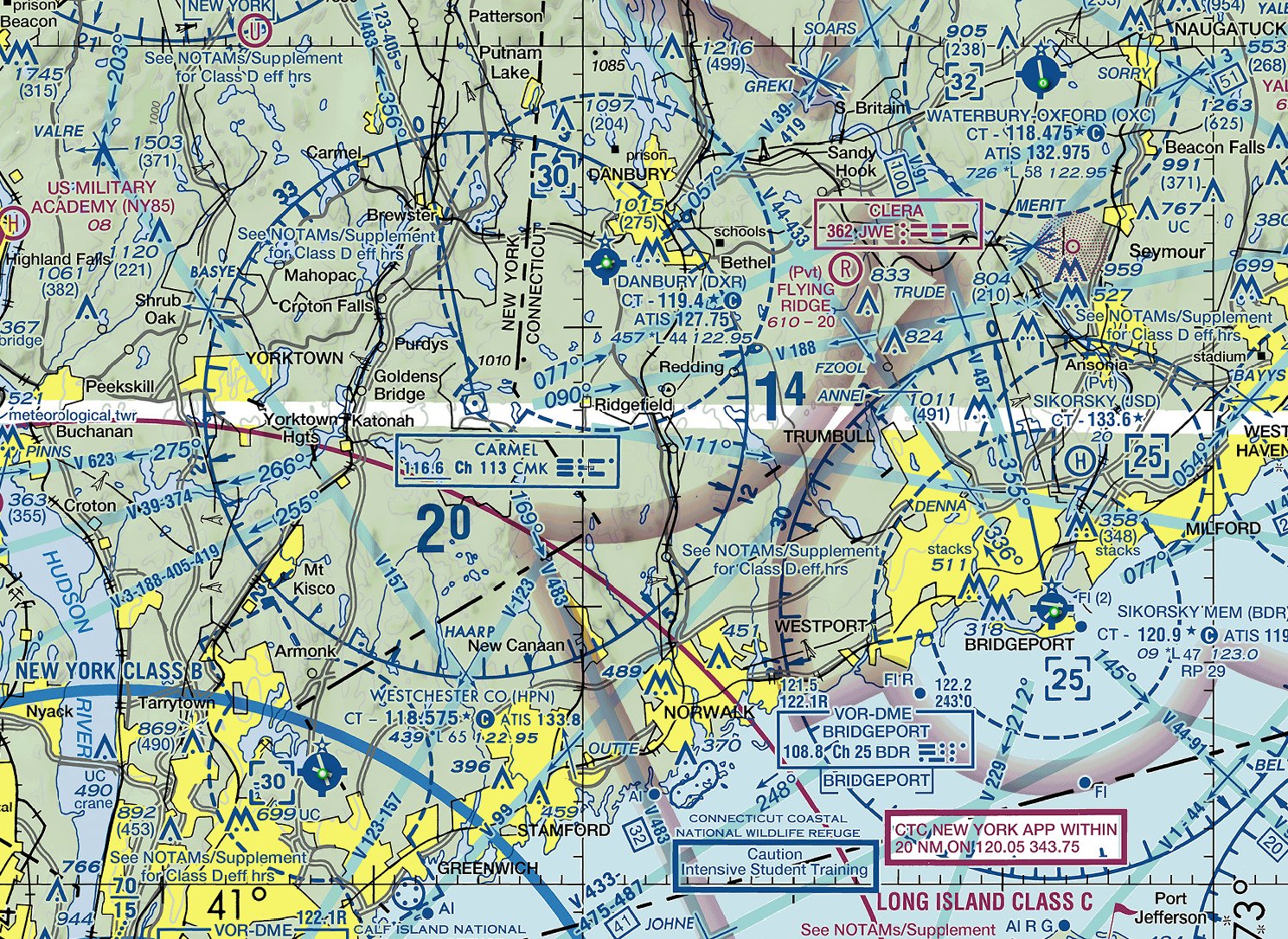
We started in the classroom and reviewed three types of navigation aids. The first was VOR (VHF Omnidirectional Range) transmitters. Navigating using a VOR can be a bit tricky in practice, but the concept is fairly simple. Basically, a VOR transmits radials in all directions. The radials can be thought of as radiating (aha!) outwards from the VOR like the spokes on a wheel. The radials are identified by their outbound heading from the VOR station.

Your VOR receiver in the plane can be tuned to a particular radial and can tell which direction your plane would need to turn to be on that radial. You can use this information to determine what heading you need to fly to go direct to the VOR. You can also use this to stay centered on a particular radial being emitted from the VOR. For example, if you plot a course on your sectional and find your destination is on the 276° radial from the XYZ VOR, you could tune XYZ’s frequency, tune your receiver to 276°, and use the receiver to keep you on that track.
That’s a very simplified explanation — in real life there is a bit more complexity and some gotchas to keep in mind, but that’s the quick and dirty version.
The second type of navigation aid is DME, which stands for Distance Measuring Equipment. If your plane has a DME receiver, you can tune it to a VOR’s frequency, but instead of providing directional info like the VOR receiver, it provides distance information so you can tell how far you are from the station. This can be very helpful in determining your location — a VOR receiver will tell you which radial you are on, but not where you are on that radial. With DME, you can pinpoint exactly where on that radial you are. DME is pretty straightforward — the only catch is that the distance provided is slant range, which means a direct line drawn from your plane to the station. That means if you are directly over the station at 6,100 feet AGL, the DME would indicate a distance of 1nm. Compare that to GPS which would show the actual horizontal distance of 0nm.

The last navigation aid we talked about was the NDB or Non-Directional Beacon. This acts sort of like a dumb VOR — it just broadcasts its location, shouting, “I’m over here!” If your plane is equipped with an Automatic Direction Finder (or ADF), that instrument will point its needle to the direction of the NDB.
After our lesson, I got a bit of flight time in the sim and practiced tracking to and from VORs and NDBs. This was actually something I had a bit of experience in from the recreational flight simming I’ve been doing at home for years. In fact, one of the best guides I’ve found explaining the ins and outs of electronic navigation is the wonderful (and simply named) Flight Simulator Navigation site. I highly recommend it!
While the sim time was productive, I was still disappointed that I had to stay on the ground today. Tomorrow will likely be the same story, but I have my fingers crossed.
Simulator time today: 0.7 hours
Total simulator time to date: 0.7 hours